The Best InvoiceSherpa Alternative for Agencies & Freelancers
Tired of bugs, slow support, and invoices that feel like a gamble? Invoice Chaser gives you reliable, AI-powered follow-ups — set up in under 30 minutes.
At a Glance
Invoice Chaser | InvoiceSherpa | |
|---|---|---|
Starting price | Free (then from $28/mo) | $41/mo — no free plan |
Transaction fee | 1.5% on Stripe payments only | 1% on every paid invoice |
Setup time | Under 30 minutes | Hours — complex configuration |
AI-written emails | ✅ Yes — tone-adjustable | ❌ No |
Custom sender domain | ✅ Yes (e.g. accounts@yourco.com) | ❌ No |
Multiple sender addresses | ✅ Yes (escalate from friendly → legal) | ❌ No |
Payment promise mechanism | ✅ Yes — auto-pauses sequence | ❌ No |
Xero integration | ✅ Full two-way sync | ✅ Yes |
QuickBooks integration | 🔄 Coming soon | ✅ Yes |
Customer support | ✅ Responsive | ⚠️ Reported as unresponsive for weeks |
Free trial / plan | ✅ Free plan forever | ❌ None |
Money-back guarantee | ✅ 30 days | ❌ No |
Why People Are Looking for an InvoiceSherpa Alternative
If you've landed on this page, there's a good chance you already know the feeling.
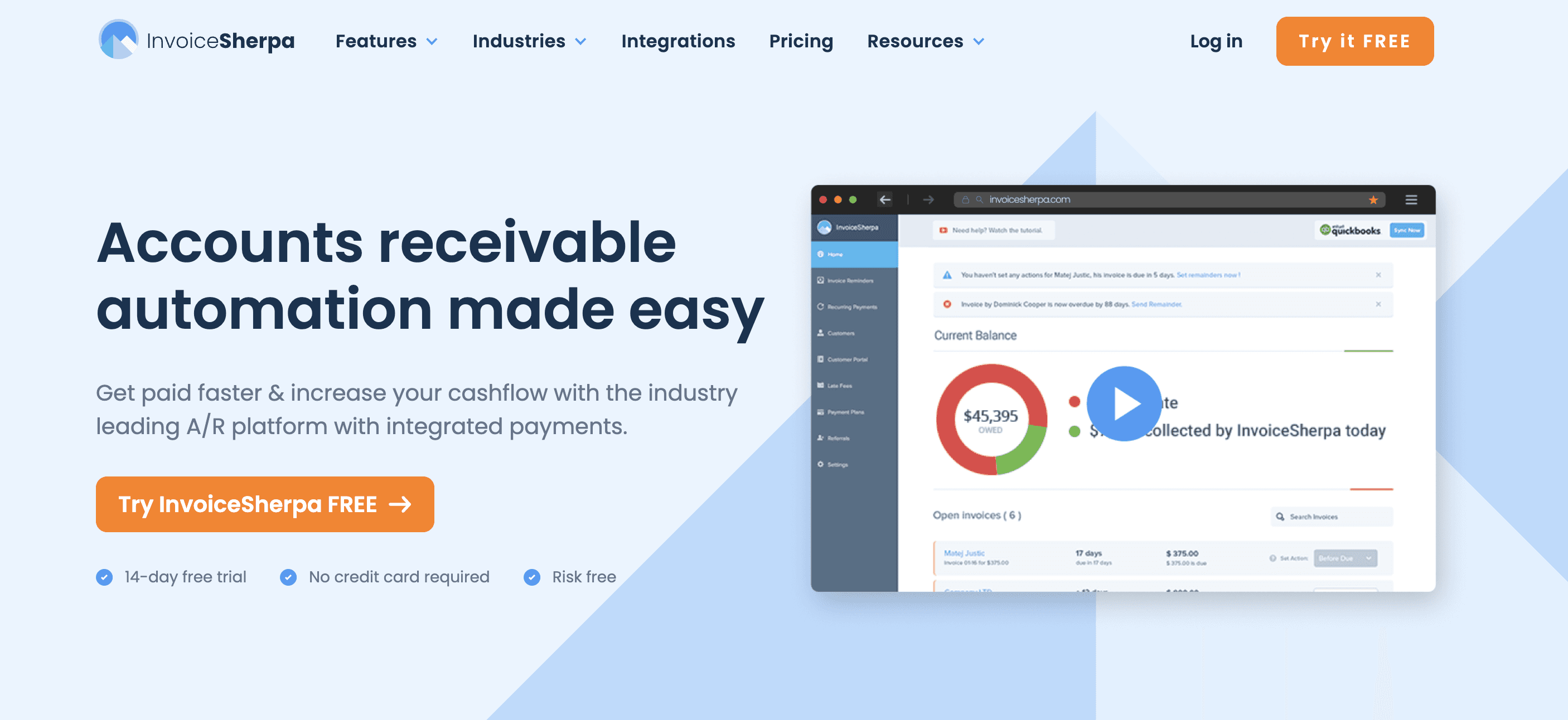
You signed up for InvoiceSherpa expecting to spend less time chasing invoices. Instead, you found yourself spending more time debugging the tool itself.
Here's what users consistently report — in their own words:
"The bugs almost killed me"
"The BUGS. OMG, hunting down glitches and bugs each month in my billing almost killed me. I had months where subscriptions randomly wouldn't get charged, or the payment would get recorded 2x, the charge amount would be off, or even where customers NOT on autopay got auto-charged — yikes!"
— Verified review, Capterra
When a financial tool makes financial errors, trust evaporates. An invoice reminder platform that accidentally charges the wrong customers — or double-charges them — isn't saving you time. It's creating liability.
"Support goes completely unanswered for weeks"
"They have practically no customer service. Chat, email, and phone go completely unanswered for weeks. They are not active on social media, which is also disconcerting."
— Verified review, Capterra
When something goes wrong with your accounts receivable process, you need help fast. Waiting weeks for a response is not an option for a small business.
"I had to click back and forth between multiple tabs"
"I really struggled with the interface, having to click back and forth between multiple tabs to get the information I needed. Loading a new screen or refreshing after new info was added was super slow, making this even more onerous."
— Verified review, Capterra
"It sent emails I didn't mean to send"
"The platform is not very user friendly and if you are not careful, it will send out emails on your behalf that you didn't mean for it to send."
— Verified review, Capterra
Accidental emails to clients are one of the most damaging things that can happen in a client-facing business. One wrong message to the wrong client at the wrong time can damage a relationship that took years to build.
"Too expensive for small businesses and freelancers"
"It's a little expensive if you're a small startup. Would be nice if they had an option for freelancers."
— Verified review, Capterra
"If the price package could be rolled out in different ways, that would be perfect. Our business fluctuates across seasons — but the price has to be paid during the busy season."
— Verified review, Capterra
InvoiceSherpa starts at $41/month with no free plan, and charges an additional 1% transaction fee on every invoice paid. For a freelancer or small agency, that adds up fast.
What Invoice Chaser Does Differently
Invoice Chaser was built for exactly the type of business that InvoiceSherpa leaves behind: agencies, consultants, freelancers, and small service businesses who need reliable, professional invoice follow-up — without the complexity, the bugs, or the enterprise price tag.
AI-written emails that sound like you wrote them
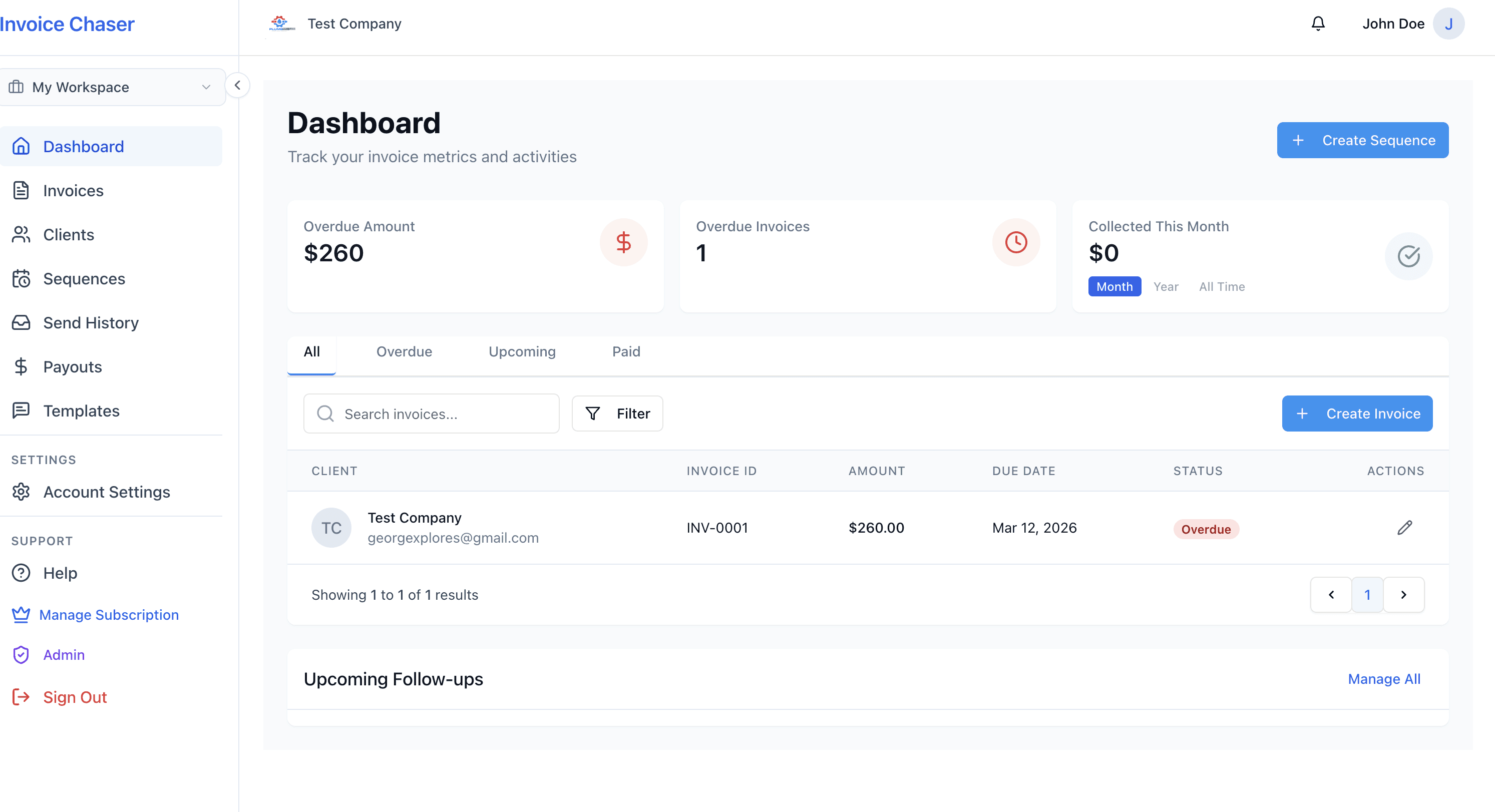
Every follow-up email in Invoice Chaser is drafted by AI, trained to match your chosen tone — friendly, firm, urgent, or final notice. The emails use your client's name, invoice details, and your company voice. Recipients respond to them as if they came directly from you — because they do. They're sent from your email address, with replies going straight back to you.
This is not a template with a mail-merge. It's a genuinely human-sounding email that your clients won't recognise as automated.
Escalating sender addresses — a subtle but powerful feature
On the Agency plan and above, you can send from multiple addresses on your own domain:
•accounts@yourcompany.com for a friendly first reminder
•billing@yourcompany.com for a firmer follow-up
•legal@yourcompany.com for a final notice
The psychological shift this creates — without a single threatening word — is significant. Clients who ignored the first two emails tend to respond when the third arrives from legal@.
Payment promises that actually work
When a client clicks "I'll pay by [date]" in your reminder email, Invoice Chaser automatically pauses the sequence until that date. If they pay, the sequence stops. If the date passes without payment, reminders resume automatically. No manual tracking. No awkward follow-up on a promise you half-forgot about.
Set up in under 30 minutes
Invoice Chaser's onboarding wizard walks you through six steps: connect your payment method, set up your profile, configure your sender domain, set your reply-to address, add your payment details, and create your first invoice. Most users are sending their first automated reminder within 30 minutes of signing up.
Xero sync that actually prevents accidental emails
Invoice Chaser checks your Xero account before every single reminder is sent. If the invoice has been paid or voided in Xero since the last check, the sequence is cancelled immediately — before the email goes out. No more chasing invoices that have already been paid.
Transparent pricing. No surprises.
Invoice Chaser starts free. No credit card required. When you're ready to upgrade, pricing is simple and public:
Plan | Monthly | Annual (save ~20%) | Best for |
Starter | Free | Free | Freelancers just getting started |
Solo | $28/mo | $22/mo | Solo freelancers — unlimited invoices |
Agency | $148/mo | $118/mo | Agencies managing multiple clients |
Enterprise | $399/mo | $319/mo | Large agencies & accountants |
No transaction fees on bank transfers. A 1.5% platform fee applies only to payments collected via the Stripe Pay Now button — and only when you choose to use it. Every paid plan includes a 30-day money-back guarantee.
Feature | ||
|---|---|---|
Pricing — entry | Free (Starter plan) | $41/mo minimum |
Pricing — freelancer tier | $28/mo (Solo) | ❌ No freelancer tier |
Transaction fees | 1.5% on Stripe payments only | 1% on all paid invoices |
Free trial | ✅ Free plan forever | ❌ None |
Money-back guarantee | ✅ 30 days | ❌ No |
AI email writing | ✅ Yes — 4 tone options | ❌ No |
Tone adjustment per step | ✅ Yes | ❌ No |
Custom sender domain | ✅ Yes | ❌ No |
Multiple sender addresses | ✅ Yes (e.g. accounts@, legal@) | ❌ No |
Payment promise mechanism | ✅ Yes — auto-pauses & resumes | ❌ No |
Stripe payment links | ✅ Yes — Pay Now button in emails | ✅ Yes |
Hosted invoice page | ✅ Yes — branded, shareable | ✅ Yes |
Xero integration | ✅ Full two-way sync | ✅ Yes |
Pre-send Xero status check | ✅ Yes — checks before every send | ⚠️ [Verify] |
QuickBooks integration | 🔄 Coming soon | ✅ Yes |
Clio integration | ❌ Not yet | ✅ Yes |
Email variables / personalisation | ✅ Yes — client name, invoice no., amount, due date | ✅ Yes |
Sequence pause / resume | ✅ Yes | ✅ Yes |
Internal team notifications | ✅ Yes — alert team at specific steps | ⚠️ [Verify] |
White-label branding | ✅ Yes (Enterprise) | ❌ No |
Bookkeeper / Accountant mode | ✅ Yes (Enterprise) | ❌ No |
API access | ✅ Yes (Enterprise) | ❌ No |
Customer support | ✅ Responsive | ⚠️ Reported unresponsive |
Setup time | Under 30 minutes | Hours |
Reliability | ✅ No reported financial errors | ⚠️ Multiple bug reports |
When InvoiceSherpa Might Still Be a Better Fit
We believe Invoice Chaser is the better choice for most small agencies and freelancers. But we'd rather help you make the right decision than make a sale that doesn't stick.
InvoiceSherpa may be worth considering if:
•You use Clio — InvoiceSherpa has a native Clio integration, which is particularly useful for law firms. Invoice Chaser does not currently integrate with Clio (though it is on the roadmap).
•You rely heavily on QuickBooks — Invoice Chaser's QuickBooks integration is in development. If QuickBooks is your primary accounting platform and you need it today, InvoiceSherpa has a more mature integration.
•You need a fully established platform with years of track record — Invoice Chaser is newer. If you need a platform with a long history of enterprise deployments, InvoiceSherpa has been around longer.
That said, if reliability, simplicity, AI-powered follow-ups, and transparent pricing matter to you — Invoice Chaser is worth a try. It's free to start.
Who Invoice Chaser Is Best For
Invoice Chaser is built for service businesses that send invoices and want to get paid without the awkwardness.
It's particularly well-suited for:
•Creative agencies — managing multiple client invoices across projects, where relationship preservation matters as much as getting paid
•Freelancers and consultants — solo operators who need a professional, automated follow-up system without paying enterprise prices
•Boutique accounting firms — managing AR across a portfolio of clients on the Agency or Enterprise plan
•Any Xero user who wants their invoice follow-up to stay perfectly in sync with their accounting, automatically
If you're a business owner who has ever felt uncomfortable chasing a client for money — or avoided sending a reminder because you didn't want to seem pushy — Invoice Chaser was built for you. The AI handles the tone. You stay in control of the message.
How to Switch from InvoiceSherpa to Invoice Chaser
Switching is straightforward. Here's how most users do it:
Step 1 — Create your free Invoice Chaser account
Sign up at invoicechaser.app. No credit card required. The onboarding wizard takes under 30 minutes.
Step 2 — Connect Xero (if you use it)
If you're on Xero, connect it during onboarding. Invoice Chaser will import your outstanding invoices automatically — including line items, amounts, and due dates. No manual re-entry.
Step 3 — Set up your first sequence
Create a reminder sequence for your overdue invoices. Choose your tone for each step (friendly → firm → urgent → final notice), set the timing between steps, and optionally configure your custom sender domain.
Step 4 — Pause InvoiceSherpa sequences before going live
Before activating your Invoice Chaser sequences, pause or cancel your active InvoiceSherpa sequences to avoid duplicate reminders going to the same clients.
Step 5 — Go live
Activate your sequences in Invoice Chaser. Your clients will start receiving professional, AI-crafted reminders from your own email address.
Most users complete this process in under an hour. If you have questions during the switch, contact support →.
Frequently Asked Questions
Does Invoice Chaser integrate with Xero?
Yes. Invoice Chaser has a full two-way Xero integration. You can import invoices directly from Xero, and Invoice Chaser automatically syncs payment status — so when an invoice is marked paid in Xero, your reminder sequences stop immediately. Invoice Chaser also checks the invoice status in Xero before every single reminder is sent, preventing accidental follow-ups on already-paid invoices.
Does Invoice Chaser work with QuickBooks?
QuickBooks integration is currently in development and will be available soon. In the meantime, you can create invoices manually inside Invoice Chaser or upload them directly. If QuickBooks is your primary platform and you need the integration today, this is worth factoring into your decision.
Is there a free plan?
Yes. Invoice Chaser's Starter plan is free forever — no credit card required. It includes 3 invoices, 3 active sequences, the AI email writer, and Stripe payment collection. It's a genuine free plan, not a time-limited trial.
How does Invoice Chaser prevent accidental emails?
Every sequence step is checked against your Xero account (if connected) before the email is sent. If the invoice has been paid or voided, the email is cancelled automatically. You can also pause or cancel any sequence at any time from the Sequences page.
Can I send reminders from my own email address?
Yes. On the Agency plan and above, you can verify your own domain and send from any address on that domain — for example, accounts@yourcompany.com or legal@yourcompany.com. On the Solo plan, you can send from a verified custom domain address. On the Starter plan, emails are sent from Invoice Chaser's default sender address.
What happens when a client replies to a reminder?
Replies go directly to the email address you configure as your reply-to address — typically your own business inbox. Invoice Chaser does not intercept or hold replies. Your client's response lands in your inbox exactly as if you'd sent the email yourself.
Is there a transaction fee?
Invoice Chaser charges a 1.5% platform fee only on payments collected through the Stripe Pay Now button. There are no fees on bank transfers, manual payments, or any other payment method. InvoiceSherpa, by comparison, charges a 1% fee on all paid invoices regardless of payment method.
How long does setup take?
Most users are set up and sending their first automated reminder within 30 minutes. The onboarding wizard walks you through six steps: payments, profile, email setup, reply-to address, payment details, and your first invoice.
Can I use Invoice Chaser without Xero?
Yes. Xero is entirely optional. You can create invoices manually inside Invoice Chaser and manage everything from there. Xero is useful if you already manage your accounts there and want to avoid double-entry.
Is my data secure?
Yes. Invoice Chaser uses AES-256-GCM encryption for all sensitive credentials stored at rest (including Xero OAuth tokens), scrypt password hashing, TLS for all data in transit, and strict per-user data isolation at the application layer. Stripe payments are processed by Stripe directly — Invoice Chaser never handles raw card data.
Stop Chasing. Start Getting Paid.
You started your business to do the work you're good at — not to spend your Fridays sending awkward payment reminder emails.
Invoice Chaser handles the follow-up for you. AI-crafted, human-sounding reminders sent from your own email address, automatically, until your clients pay. When they do, everything stops. No accidental emails. No bugs. No surprises on your bill.
Start Free — No Credit Card Required →
Free plan forever. Upgrade when you're ready. 30-day money-back guarantee.
The Best InvoiceSherpa Alternative for Agencies & Freelancers